MCP Server Browser
- 39.6k repo stars
- Updated October 9, 2026
mcp-server-browser 是字节跳动推出的 MCP 服务器,为编程 Agent 提供驱动 Chrome、Edge 或 Firefox 的浏览器操作能力。
What is MCP Server Browser?
字节跳动推出的 mcp-server-browser 通过 Model Context Protocol 为编程 Agent 提供浏览器操作能力。该服务以 @agent-infra/mcp-server-browser 发布于 npm,支持配置目标浏览器通道(chrome、edge 或 firefox),并可选指定 Chrome DevTools Protocol 或 WebSocket 端点、可执行文件路径与输出目录。开发者用它让 Agent 驱动真实浏览器验证交互流程或采集页面上下文。服务通过 stdio 在本地运行,无需托管服务。
- 以 MCP 工具形式开放浏览器操作(browser-use)能力
- 支持 chrome、edge 与 firefox 三大浏览器通道
- 支持配置 CDP 端点、WebSocket 端点与浏览器可执行文件路径
- 通过
@agent-infra/mcp-server-browser经由 stdio 本地运行
Mcp Server Browser by the numbers
- Data as of Nov 25, 2026 (Skillselion catalog sync)
claude mcp add --env DISPLAY=YOUR_DISPLAY mcp-server-browser -- npx -y @agent-infra/mcp-server-browserAdd a Mcp Server Browser badge
This MCP 服务器 is currently #14 on the Skillselion Top 25. The award badge shows the live rank and updates automatically:

Get the embed code
Show developers this MCP 服务器 is listed on Skillselion. Paste this into your README.

Get the embed code
| GitHub Star | ★ 39.6k |
|---|---|
| 安装包 | @agent-infra/mcp-server-browser |
| 传输协议 | STDIO, HTTP, SSE |
| 鉴权 | 无需 |
| 最后更新 | October 9, 2026 |
| 代码仓库 | bytedance/UI-TARS-desktop ↗ |
使用场景与核心能力
What does MCP Server Browser do?
网页抓取
Who is MCP Server Browser for?
开发期间需要操控真实浏览器验证 UI 流程或采集页面上下文的 Agent。
可以跳过: 需要类似 Playwright 那样完整可维护端到端测试套件,或需要生产环境浏览器监控的团队。
What does MCP Server Browser produce?
Agent 操作指定浏览器通道,并可将追踪日志或输出产物写入配置好的目录。
- 浏览器操作执行结果、追踪记录或写入指定目录的输出文件
- 支持 3 种浏览器通道:chrome、edge、firefox
What can Mcp Server Browser do?
免费开源;本地运行,无需 API Key。
- Capabilities
- 浏览器自动化 · 浏览器交互操作 · CDP 连接
- Works with
- chrome
- Use cases
- 网页抓取 · 测试验证
- Runs
- Runs locally
- Pricing
- Free
What Mcp Server Browser says it does
MCP server for browser use access
browser or chrome channel to use, possible values: chrome, edge, firefox.
Chrome DevTools Protocol endpoint URL
What does the Mcp Server Browser README cover?
README.md

Introduction
English | 简体中文
TARS* is a Multimodal AI Agent stack, currently shipping two projects: Agent TARS and UI-TARS-desktop:
| Agent TARS | UI-TARS-desktop |
|---|---|
|
Agent TARS is a general multimodal AI Agent stack, it brings the power of GUI Agent and Vision into your terminal, computer, browser and product.
It primarily ships with a CLI and Web UI for usage. It aims to provide a workflow that is closer to human-like task completion through cutting-edge multimodal LLMs and seamless integration with various real-world MCP tools. |
UI-TARS Desktop is a desktop application that provides a native GUI Agent based on the UI-TARS model.
It primarily ships a local and remote computer as well as browser operators. |
Table of Contents
News
- [2025-11-05] 🎉 We're excited to announce the release of Agent TARS CLI v0.3.0! This version brings streaming support for multiple tools (shell commands, multi-file structured display), runtime settings with timing statistics for tool calls and deep thinking, Event Stream Viewer for data flow tracking and debugging. Additionally, it features exclusive support for AIO agent Sandbox as isolated all-in-one tools execution environment.
- [2025-06-25] We released an Agent TARS Beta and Agent TARS CLI - Introducing Agent TARS Beta, a multimodal AI agent that aims to explore a work form that is closer to human-like task completion through rich multimodal capabilities (such as GUI Agent, Vision) and seamless integration with various real-world tools.
- [2025-06-12] - 🎁 We are thrilled to announce the release of UI-TARS Desktop v0.2.0! This update introduces two powerful new features: Remote Computer Operator and Remote Browser Operator—both completely free. No configuration required: simply click to remotely control any computer or browser, and experience a new level of convenience and intelligence.
- [2025-04-17] - 🎉 We're thrilled to announce the release of new UI-TARS Desktop application v0.1.0, featuring a redesigned Agent UI. The application enhances the computer using experience, introduces new browser operation features, and supports the advanced UI-TARS-1.5 model for improved performance and precise control.
- [2025-02-20] - 📦 Introduced UI TARS SDK, is a powerful cross-platform toolkit for building GUI automation agents.
- [2025-01-23] - 🚀 We updated the Cloud Deployment section in the 中文版: GUI模型部署教程 with new information related to the ModelScope platform. You can now use the ModelScope platform for deployment.
Agent TARS







Agent TARS is a general multimodal AI Agent stack, it brings the power of GUI Agent and Vision into your terminal, computer, browser and product.
It primarily ships with a CLI and Web UI for usage.
It aims to provide a workflow that is closer to human-like task completion through cutting-edge multimodal LLMs and seamless integration with various real-world MCP tools.
Showcase
Please help me book the earliest flight from San Jose to New York on September 1st and the last return flight on September 6th on Priceline
https://github.com/user-attachments/assets/772b0eef-aef7-4ab9-8cb0-9611820539d8
| Booking Hotel | Generate Chart with extra MCP Servers |
|---|---|
| Instruction: I am in Los Angeles from September 1st to September 6th, with a budget of $5,000. Please help me book a Ritz-Carlton hotel closest to the airport on booking.com and compile a transportation guide for me | Instruction: Draw me a chart of Hangzhou's weather for one month |
For more use cases, please check out #842.
Core Features
- 🖱️ One-Click Out-of-the-box CLI - Supports both headful Web UI and headless server execution.
- 🌐 Hybrid Browser Agent - Control browsers using GUI Agent, DOM, or a hybrid strategy.
- 🔄 Event Stream - Protocol-driven Event Stream drives Context Engineering and Agent UI.
- 🧰 MCP Integration - The kernel is built on MCP and also supports mounting MCP Servers to connect to real-world tools.
Quick Start
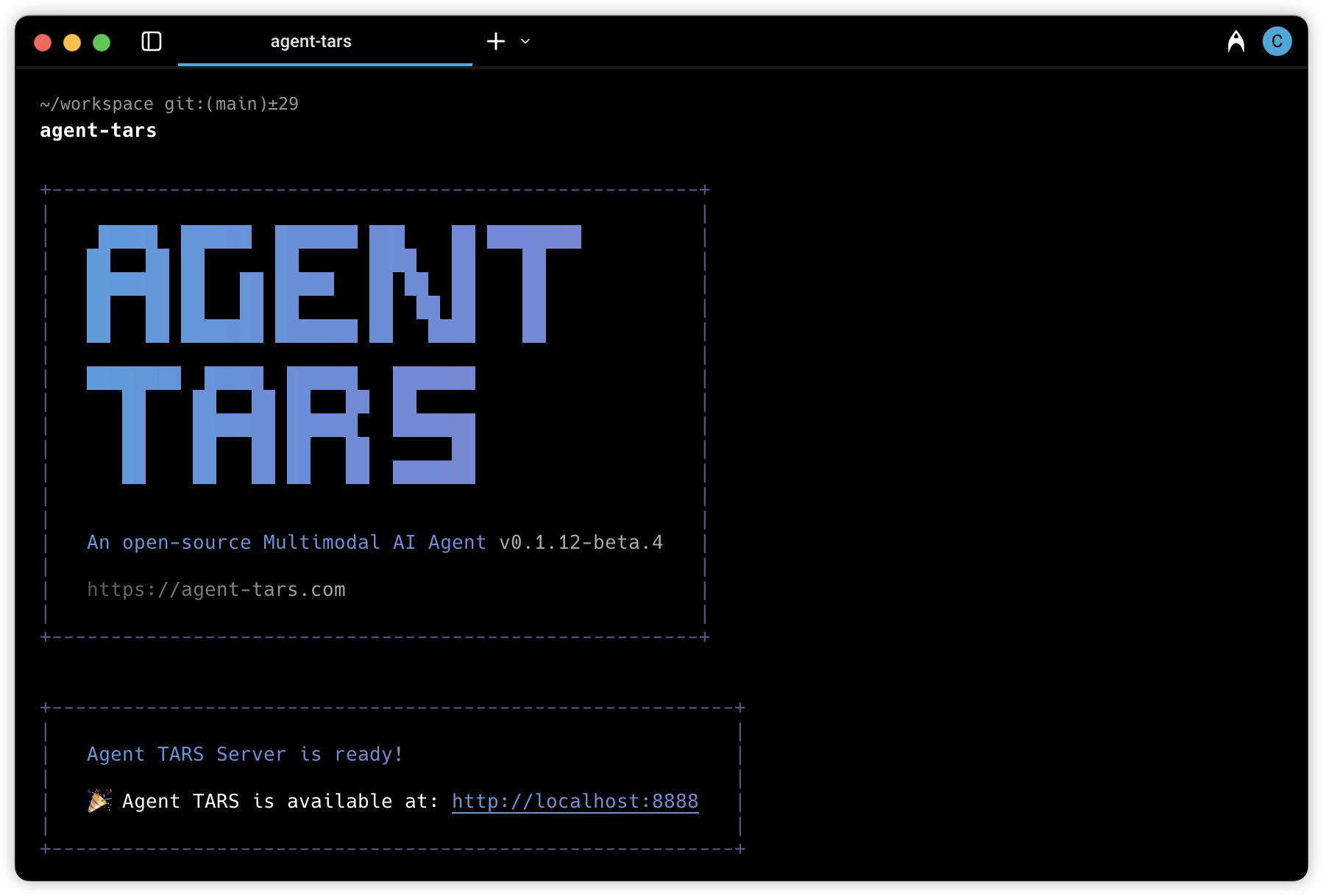
# Launch with `npx`.
npx @agent-tars/cli@latest

# Install globally, required Node.js >= 22
npm install @agent-tars/cli@latest -g

# Run with your preferred model provider
agent-tars --provider volcengine --model doubao-1-5-thinking-vision-pro-250428 --apiKey your-api-key
agent-tars --provider anthropic --model claude-3-7-sonnet-latest --apiKey your-api-key
Visit the comprehensive Quick Start guide for detailed setup instructions.
Documentation
🌟 Explore Agent TARS Universe 🌟
| Category | Resource Link | Description |
|---|---|---|
| 🏠 Central Hub |

|
Your gateway to Agent TARS ecosystem |
| 📚 Quick Start |

|
Zero to hero in 5 minutes |
| 🚀 What's New |

|
Discover cutting-edge features & vision |
| 🛠️ Developer Zone |

|
Master every command & features |
| 🎯 Showcase |

|
View use cases built by the official and community |
| 🔧 Reference |

|
Complete technical reference |
UI-TARS Desktop
UI-TARS Desktop is a native GUI agent for your local computer, driven by UI-TARS and Seed-1.5-VL/1.6 series models.
📑 Paper
| 🤗 Hugging Face Models
| 🫨 Discord
| 🤖 ModelScope
🖥️ Desktop Application
| 👓 Midscene (use in browser)
Showcase
| Instruction | Local Operator | Remote Operator |
|---|---|---|
| Please help me open the autosave feature of VS Code and delay AutoSave operations for 500 milliseconds in the VS Code setting. | ||
| Could you help me check the latest open issue of the UI-TARS-Desktop project on GitHub? |
Features
- 🤖 Natural language control powered by Vision-Language Model
- 🖥️ Screenshot and visual recognition support
- 🎯 Precise mouse and keyboard control
- 💻 Cross-platform support (Windows/MacOS/Browser)
- 🔄 Real-time feedback and status display
- 🔐 Private and secure - fully local processing
Quick Start
See Quick Start
Contributing
See CONTRIBUTING.md.
License
This project is licensed under the Apache License 2.0.
Citation
If you find our paper and code useful in your research, please consider giving a star :star: and citation :pencil:
@article{qin2025ui,
  title={UI-TARS: Pioneering Automated GUI Interaction with Native Agents},
  author={Qin, Yujia and Ye, Yining and Fang, Junjie and Wang, Haoming and Liang, Shihao and Tian, Shizuo and Zhang, Junda and Li, Jiahao and Li, Yunxin and Huang, Shijue and others},
  journal={arXiv preprint arXiv:2501.12326},
  year={2025}
}
Browse every Claude Code MCP server, ranked by GitHub stars.
Which MCP servers are related to MCP Server Browser?
How does Mcp Server Browser compare?
定位为 MCP 浏览器驱动器,而非完整的 E2E 测试框架或 SEO 爬虫技能。
MCP Server Browser FAQ
mcp-server-browser 支持哪些浏览器?
其 browser 参数支持 chrome、edge 或 firefox,同时支持通过 Chrome DevTools Protocol 或 WebSocket 端点接入已有浏览器会话。
如何安装 mcp-server-browser?
安装 npm 包 @agent-infra/mcp-server-browser,并在你的 Agent 客户端中注册为 stdio MCP 服务器即可。